

Free for macOS · made for head trackers

Hands-free,
hassle-free.

Ally Tools are two free Mac apps for people who control a computer with a head mouse, a head tracker, an eye tracker or any pointer, and no hands. A dwell-click panel that is always there, and an on-screen keyboard that comes when you need to type and steps aside when you don't. No hunting for tiny buttons, no wrestling with settings — just the work you sat down to do.

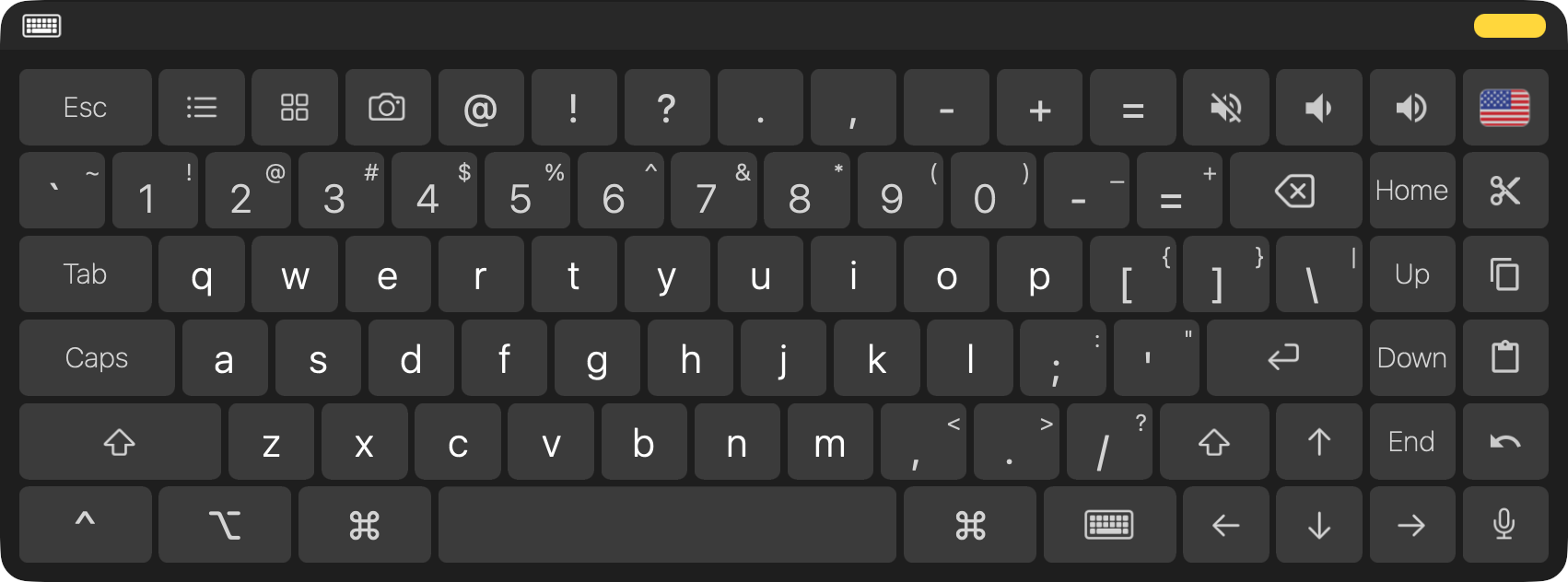
AllyKeyboard: a large dark on-screen keyboard with a yellow hide button
AllyKeyboard — when you need to type
The AllyClicker panel: left, right and double click, drag and scroll

…and AllyClicker at the edge of the screen — always there.

Why two tools

The mouse you need all the time.
The keyboard only some of the time.

macOS comes with its own Accessibility Keyboard, and it keeps everything in one place: the mouse buttons and the keys share one panel, or you switch between panels. What it cannot do is let them live apart. Ally Tools splits them in two — because that is how the day goes when you work with your head: you point and click all the time, and type now and then.

Always on screen

AllyClicker

A slim panel at the edge of the screen. Rest the cursor on an action, then on your target — it clicks. Left, right, double, drag, scroll.

On demand

AllyKeyboard

Out of the way until there is something to type. One big button tucks it away, one click brings it back — or it comes up by itself in an empty text field.

AllyClicker

Point, pause, done.

The mouse actions you use every day.

Rest the cursor on an action in the panel — it turns red, armed. Rest it on your target — it happens there. No buttons to press, nothing to hold.

The AllyClicker panel
Send the message? It goes to everyone in the thread.
Report.pdf
Report.pdf Info PDF document · 248 KB Modified today, 10:42
Photos

Photos

Notes.txt
Done

Ten quiet places to read this weekend

a small library by the river

Read next

How the new trains run on time

How the new trains run on time

the timetable, explained

Read next

A recipe that takes five minutes

A recipe that takes five minutes

Reading — nothing is clicked

Reading, hands-free

Rest on Left click, then on the button — it is pressed.

AllyKeyboard

Type without a keyboard, without the fuss.

  • One big button to hide it — there is no way to switch it off by a near miss.
  • Suggestions in a column beside the keyboard, read at a glance. They learn your words and the word you usually write next.
  • Large keys, sticky modifiers — ⇧ ⌃ ⌥ ⌘ wait for the next key.
  • Two languages, one key. Layouts you can change with a click-only editor.
Read more about AllyKeyboard
AllyKeyboard with the Extended layout Typing “perf”: the suggestion balloon offers perfect, perfectly, perfection and performance, one per line

Together

How a minute with Ally Tools goes.

Read and browsewith AllyClicker. The keyboard is tucked away; the screen is yours.
Click into a text fieldand the keyboard comes up by itself.
Typepicking suggestions as they come — a word, then the next.
Click anywhere elseand the keyboard steps aside. The mouse panel stays.

Showing and hiding by itself is optional — turn it on in AllyKeyboard's settings.

Why I built this

“I control my Mac with a head tracker. The tools that came with it worked, but every day cost more effort than it should: tiny buttons, panels in the way, one wrong click and the keyboard was gone. So I built the two I needed — a mouse panel that never leaves, and a keyboard that shows up only when there is something to type.

Now using the computer is just using the computer.”

— the author, who uses Ally Tools every day

Install

Free, for macOS.

Both apps in one go with Homebrew, then allow each in System Settings → Privacy & Security → Accessibility — that is what lets them click and type for you.

The step-by-step installation guide →

AllyKeyboard needs macOS 26 or later; AllyClicker, macOS 14 or later. Nothing you type or click leaves your Mac.

# once
brew tap umkasanki/tap
brew trust umkasanki/tap

# both apps
brew install --cask \
  allyclicker allykeyboard